Making Tax Digital for Income Tax – Quarterly Reporting: A Guide in the UK
Making Tax Digital for Income Tax is introduced to transform the way in which some self-employed individuals and landlords record tax returns in the UK. From now on, those who fall within the scope of the new scheme will be required to keep digital records and update HMRC on their business status via quarterly updates.
They will be rolled out gradually so not everybody will have to start at the same time. If you’re a sole trader or landlord, getting to grips with the new regulations early will give you time to prepare.
What Is Making Tax Digital (MTD) for Income Tax?
Making Tax Digital for Income Tax is a new way that individuals report income from self-employment and property to HMRC.
As part of the new system, this would mean that taxpayers who are within scope of the tax system would be required to use software to keep a digital record of their business income and expenses, send updates to HMRC every three months and finalise their tax calculation through an annual tax return.
The goal is to make tax accounting easier to keep up with during the year rather than having all the receipts and bills for the Self Assessment deadline.
Who Must Use Making Tax Digital for Income Tax?
Making Tax Digital for Income Tax will mainly affect sole traders and landlords who are registered for Self Assessment and meet the qualifying income requirements.
Qualifying income means the total income from self-employment and property before expenses are deducted. If you earn income from both sources, the amounts are added together to check whether you need to follow the new rules.
When Will the New Rules Apply?
The government is introducing Making Tax Digital for Income Tax in stages, depending on your qualifying income in the relevant previous tax year.
- From April 2026: Qualifying income of more than £50,000 in the 2024–25 tax year.
- From April 2027: Qualifying income of more than £30,000 in the 2025–26 tax year.
- From April 2028: Qualifying income of more than £20,000 in the 2026–27 tax year.
For example, if your Self Assessment tax return for 2024–25 shows qualifying income of £55,000, you will generally need to start using Making Tax Digital for Income Tax from 6 April 2026, provided you meet the other requirements and no exemption applies.
It is worth remembering that qualifying income is based on your gross income, not your profit. Business expenses are not deducted when checking whether your income meets the threshold.
What Is Quarterly Reporting?
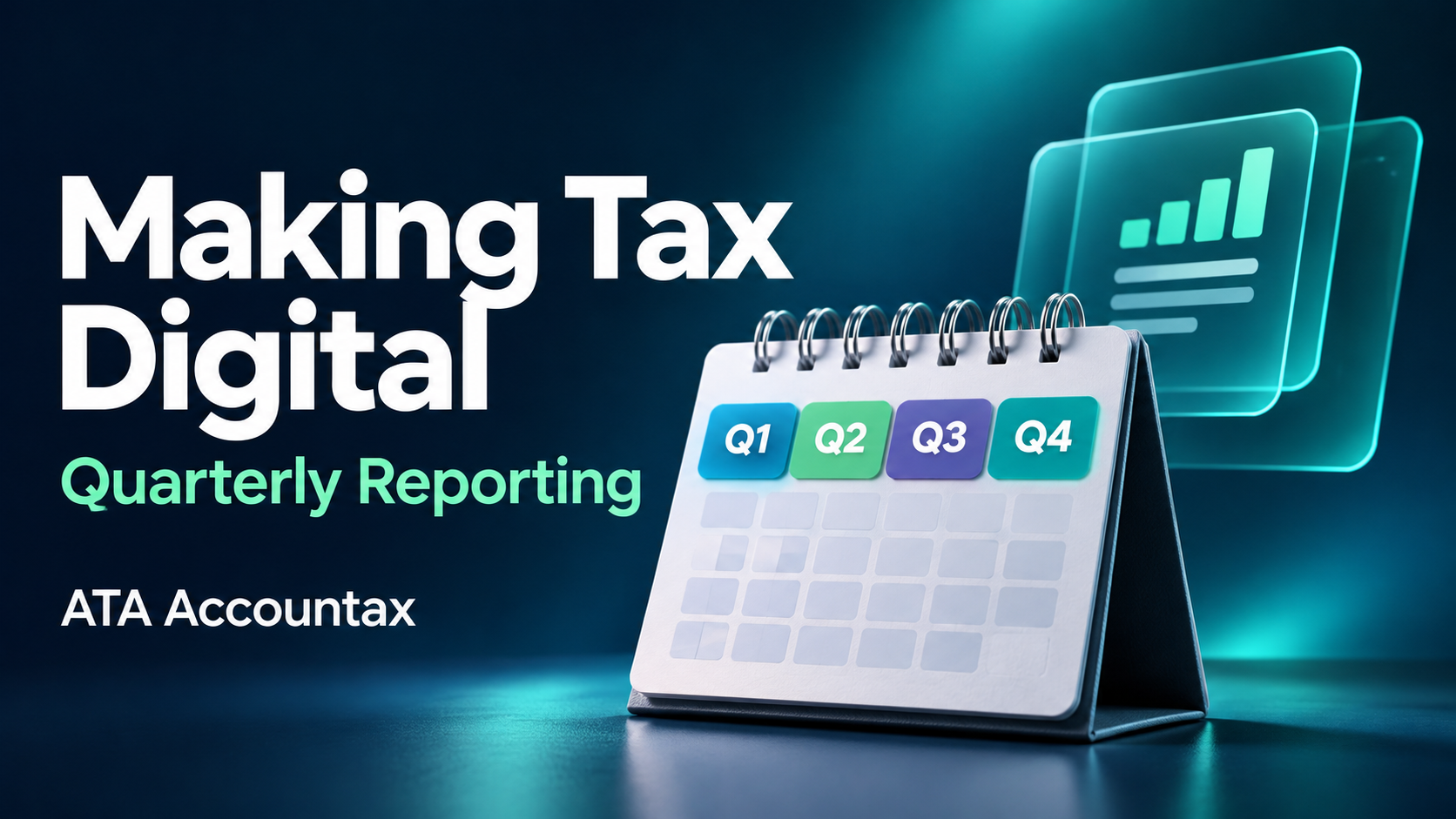
Quarterly reporting means sending HMRC updates about your business income and expenses every three months under Making Tax Digital for Income Tax.
Instead of waiting until the end of the tax year to organise all your figures, you can use compatible software to keep your digital records up to date and prepare your quarterly updates.
For example, a small business owner might record sales, payments received, stock purchases, rent and other business expenses throughout the quarter. The software helps organise these figures and prepare the information needed for the quarterly update.
If you earn income from both self-employment and property, you may need to report the information separately for each income source.
These updates are not four separate tax returns. They are summaries of your income and expenses sent to HMRC throughout the tax year. You will still need to complete the relevant year-end process to finalise your tax position.
What Are the Quarterly Reporting Deadlines?
Making Tax Digital (MTD) for Income Tax will require eligible sole traders and landlords in the UK to keep digital records and send quarterly updates to HMRC using compatible software. These updates help taxpayers keep track of their income and expenses throughout the tax year.
The main quarterly reporting deadlines are:
- 7 August – First quarterly update
- 7 November – Second quarterly update
- 7 February – Third quarterly update
- 7 May – Fourth quarterly update
Each update covers income and expenses for a specific period of the tax year. Keeping records up to date throughout the year can make it easier to manage your finances and prepare for the year-end tax process.
What Is the Income Threshold for Making Tax Digital?
Making Tax Digital for Income Tax is being introduced in stages. The rules apply based on a person’s qualifying gross income from self-employment and property, before expenses.
The income thresholds are:
- From April 2026: More than £50,000
- From April 2027: More than £30,000
- From April 2028: More than £20,000
The relevant threshold is based on qualifying income reported for the applicable previous tax year. If your income is above the threshold, you may need to follow the new digital reporting rules from the relevant start date.
It is also important to remember that quarterly updates do not replace the final Self Assessment tax return. Eligible taxpayers will still need to complete the year-end process and pay any tax due by the relevant deadline.
What Records Do You Need to Keep?
Keeping accurate records Making Tax Digital for Income Tax is an important part of your record keeping. You’ll need to keep digital records of your relevant business income and expenses using software that is compatible.
If you own a business or rental property, you may have:
- Income and sales received
- Business purchases and expenses
- Payments relating to rental properties
- Dates and amounts of transactions
- Supporting invoices and receipts
- Additional information to complete your return
Update your records regularly during the year to save time at quarter time.
By tracking your sales and expenses throughout the year, rather than gathering receipts at year-end, you will have a better understanding of your business finances and less work when it’s time to prepare reports.
What Software Do You Need for Making Tax Digital?
You will require software that is Making Tax Digital for Income Tax compatible.
You should be able to use the software to keep digital records and submit quarterly updates as well as the annual return to HMRC.
Think about your accounting practices before selecting software. You may be using accounting software, or perhaps you’re just using a spreadsheet or notebook.
If you already have an accounting system, look into whether you will be able to use it for the relevant Making Tax Digital requirements. If not, you may have to get new software or install a suitable compatible add-on.
Selecting appropriate software early on will give you the opportunity to learn its functionality before you have to start reporting.
Preparing for the Introduction of Making Tax Digital for Income Tax Self Assessment (ITSA)
Being prepared will make the transition a lot easier. You do not have to wait for the deadline to be near before you begin to comb through your records and how you keep your books.
Here are some steps to take:
1. Check Your Qualifying Income
Check your Self Assessment tax return to see if you have income from self-employment and property that applies to the new rules.
2. Organise Your Financial Records
Organise your income, expenses and records. Having it all sorted will make things much easier when it’s time to complete your quarterly returns.
3. Choose Compatible Software
Search for the software that complies with the Making Tax Digital specifications for your business or property income.
4. Understand Your Reporting Dates
Make sure you have a calendar of the deadlines for your quarterly update and the deadline for your tax return each year. This way you can plan far enough ahead to ensure you meet those deadlines.
5. Get Professional Support if Needed
If you are not sure whether the rules apply to you or if you aren’t sure what to do with your records, then an accountant can explain what is expected and assist you in complying.
What Happens If You Do Not Follow the Rules?
If you need to use Making Tax Digital for Income Tax, you must keep digital records and send quarterly updates to HMRC using compatible software.
HMRC has introduced a temporary relaxation for the first year, covering the 2026–27 tax year. During this period, no penalty points will be issued for late quarterly updates. This gives taxpayers more time to adjust to the new reporting system.
However, this does not mean that all penalties have been removed. Penalties may still apply if you submit your tax return late or fail to pay your tax on time.
From April 2027, penalty points are expected to apply to missed quarterly reporting deadlines for taxpayers who are required to follow the rules. If you reach the penalty point threshold, you may have to pay a £200 penalty.
If you think using digital systems may be difficult because of your circumstances, you can check whether you qualify for an exemption. HMRC provides guidance on who can apply and how to make a request.
Understanding these requirements early can help you keep your records organised and avoid unnecessary problems with your tax reporting.
Making Tax Digital for Income Tax versus Traditional Self Assessment
With traditional Self Assessment you tend to provide details of your income, expenses and any other relevant tax related information after the tax year end and then submit your return.
Tax Digital for Income Tax also means more processes.
In the new system, taxpayers will preserve digital records, report quarterly updates and file the complete annual return in software that is compatible.
Quarterly updates are not a substitute for the annual tax return. You will still need to work through your figures, add any other income and gains and make any adjustments.
The major change is that you will need to keep more of your records and make more reports during the year.
Frequently Asked Questions
Is Making Tax Digital for Income Tax compulsory?
It is compulsory for those individuals who are within the criteria and mandatory to operate the scheme. Start date The date of commencement of CIP is related to the qualification income and other conditions.
Does Making Tax Digital apply to landlords?
Yes. Once the relevant start date has been reached, you may be required to keep Making Tax Digital for Income Tax.
Do I need to send a return to HMRC every quarter?
No. Quarterly updates of your income and expenses will be required. Additionally, you will need to send an annual tax return.
Is qualifying income identical to profit?
Q. Do I qualify to rent with No? Your qualifying income is usually your gross income from self-employment and property, minus any business expenses. Profit is your gross income from self-employment and property, minus allowed business expenses.
Can I keep using my spreadsheets?
That depends on if the setup you chose passes the tolerance tests. You should check that your spreadsheet and any bridging software pass the rules before submitting using them.
What is the deadline for the annual tax return?
The annual tax return deadline The normal deadline for completing and submitting the annual tax return is 31 January following the end of the relevant tax year. For years subject to Making Tax Digital you will need suitable software to get your tax return completed and submitted.
How ATA Accountax Can Help
Making Tax Digital for Income Tax is a big change and that you are used to keeping on top of your records once a year. Putting your records in order and understanding what you need to report will help you to get prepared.
With quarterly reporting, you need to be aware of the requirements, get your accounts in order and prepared and even review your processes so that you’re aware of what you need to do before the deadlines.
Whether you’re a sole trader or a landlord that is looking to get ready for Making Tax Digital for Income Tax, contact us to talk to our team about your needs.
ATA Accountax
UK Tax & Accountancy Services
Tel: +44 742-1487-004
Email: info@ataaccountax.com
Author: Arslan